
Skin Changer for Premium Cosmetics
Unlock premium weapon skins, character outfits and knife variants in supported titles on your local client, without buying each cosmetic separately.
Client preview
At a glance
Loadout visuals on your screen
Weapon finishes, outfits and knife styles from a slim menu. Scroll for the full cosmetic list.
4 additional rows appear in the table below.
Overview
Dress your loadout without store purchases
Which cosmetics render locally, how sessions behave, and what to verify with support.
Skin Changer overlays premium weapon art, outfits and knife models on supported games from a lightweight menu, skipping individual cosmetic charges.
Everything renders locally, so accounts and marketplaces never receive the items. Monthly (31 days) and lifetime plans share the same client. Verify your game with support first.
Cosmetic catalog
Skin Changer is a slim client that paints premium weapon finishes, character outfits and rare knife styles onto supported games without buying each microtransaction separately.
Local view only
Looks render inside your game window. Inventory servers never receive the items, so nothing is tradable and teammates may still see default gear. Effects vanish when the client closes.
Title coverage
Several major franchises are supported today, though patches can disable modules overnight. Message support with your exact game name before checkout.
System requirements
Windows 10 or 11 with HVCI, Core Isolation, TPM and Secure Boot turned on.
Catalog
Included cosmetic types
Categories covered once the client is active.
- High tier weapon finishes
- Full character outfit sets
- Rare melee knife styles
- Multiple flagship franchises
- Low overhead client
- Client side rendering only
- Monthly (31 days) or lifetime access
- Windows 10 and 11
After checkout
Preview, access steps
Preview shows the badge artwork; the next column explains portal delivery and menu access.
Badge art
- Layer A
Cosmetic client
Weapon finishes, character outfits and knife styles rendered only on your screen.
More products
Pairs well with
Other tools from the same store, each with its own page and checkout.
- The Isle Cheats From $15 Entity ESP, world resource filters, aimbot and radar for The Isle Evirma, Legacy and Horde. Instant portal delivery; check status after Easy Anti-Cheat or game patches. View details
- HWID Spoofer From $35 Rotates disk serials, MAC data, GPU fingerprints and related tower IDs when anti-cheat flags the machine. Includes trace cleanup. View details
- UGC From $35 Unban & Governance Control automates appeal templates and dispute filings for limited gaming, social and marketplace profiles. View details
FAQ
Questions about this page
Answers tied to what you are reading. Visit the FAQ page for every topic.
Blog
Related guides
Filter by topic to find setup guides, feature deep-dives, and patch-day notes.

ESP can look like a wall of text if you turn everything on. Here is what each The Isle ESP option does and how to build an overlay that stays easy to read.
Hunger, thirst and stamina shape every session in Evrima. Here are practical habits for managing them, and how resource ESP options can cut down the searching.
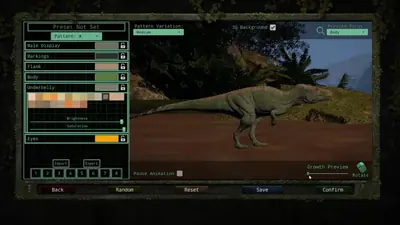
A clear look at The Isle cheats pricing, which plan suits which kind of player, what every key includes, and how the purchase works from checkout to install.
Not sure which The Isle cheat to buy? This checklist covers the things that actually matter, from status visibility and updates to Isle specific features and support.
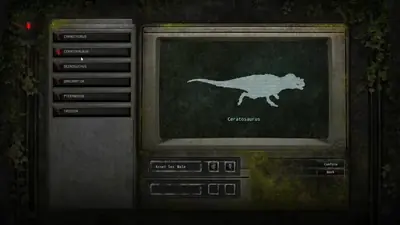
Bought The Isle cheats and not sure where to start? This walkthrough covers status, requirements, your portal, presets, hotkeys and saving your config.
Undetected is a status, not a permanent promise. Here is how to read it, when to recheck it, and what to do if your The Isle cheat will not launch after an update.
The Isle Evirma community forum
Read discussion
Archived, read-only threads on loader setup, resource ESP, patch status, and HWID bans. Replies are closed.
- Gameplay & Tips How do you track danger in Evrima without relying on overlays? Practical survival habits for Evrima: slow down near water, avoid predictable routes, use cover, and pay attention to the environment instead of sprinting everywhere.
- Product Questions Player ESP vs Animal ESP in The Isle, what's the difference in the listed features? The product page lists player, NPC, and animal ESP separately, plus labels such as distance, species, health, stamina, and growth. Confirm what each means before relying on assumptions.
- Product Questions What does the The Isle cheats feature list actually include? A quick look at the feature names shown on the product page, plus a reminder to verify current status, requirements, and server rules instead of assuming every claim applies to every setup.
- Product Questions The Isle cheats pricing: is a week or month plan the more sensible comparison? The page currently shows one-week, one-month, and lifetime options. Compare the listed prices with how long you expect to use a product, and verify the live price before checkout.